
Introduction
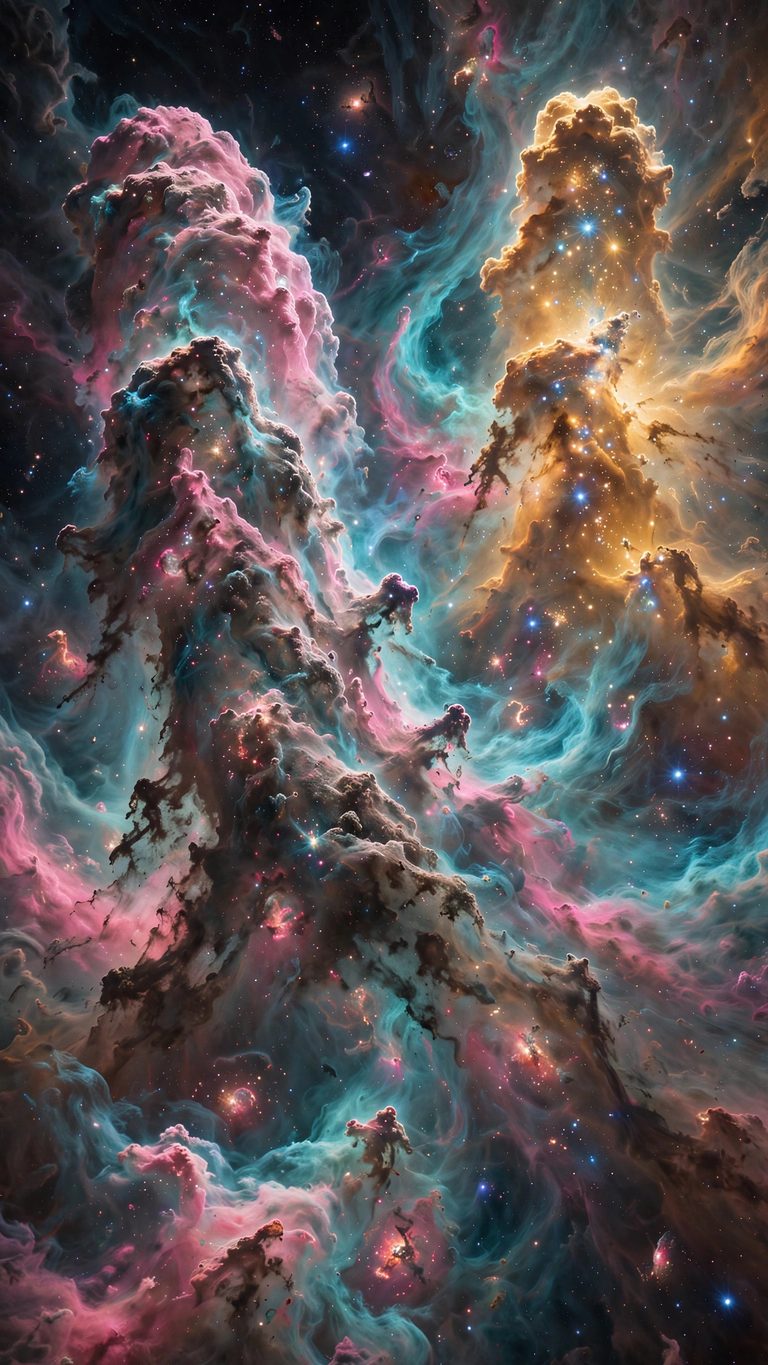
Somewhere in the deep dark, far beyond anything your eyes will ever see in person, a star is being born. It does not happen quietly. It happens inside towering pillars of gas taller than our entire solar system, in clouds of rose pink, electric teal, and molten gold that glow from within as new suns ignite inside them. Astronomers call these regions stellar nurseries. The rest of us just call them the most beautiful places in the universe.
For most of human history, these vistas belonged to billion-dollar telescopes. The Hubble images of the Pillars of Creation and the James Webb portraits of the Carina Nebula are among the most shared pictures ever made. But a photograph is frozen. It cannot carry you anywhere.
This AI video prompt changes that. In ten vertical seconds, your camera weaves between those towering pillars while newborn stars flare to life around you, flying straight through a celestial storm. It does not feel like watching a clip. It feels like drifting through the birthplace of suns — dreamlike, vast, impossibly calm. Viewers do not just watch nebula flythroughs. They save them, share them, and loop them. And now you can make your own in under a minute.
The Prompt
Copy the exact prompt below and paste it directly into your AI video tool of choice. It is written to work as-is — every phrase is doing a job, from the camera motion to the color palette.
Dreamlike flythrough of a vast colorful nebula, camera weaving between towering pillars of pink, teal and gold cosmic gas, newborn stars igniting inside the clouds, sense of flying through a celestial storm, ethereal and vast, ultra realistic, cinematic, 8k
Why This Prompt Works
This prompt is a masterclass in how to write for AI video, and every phrase earns its place. Start with the camera: “camera weaving between towering pillars” is the engine of the whole shot. Weaving motion creates constant parallax — foreground pillars slide past faster than the background — which is what tricks the brain into feeling real three-dimensional flight. Static or slow-pan nebula shots look like screensavers; a weave feels like a journey, and journeys get watched to the end.
Then there is the color triad: “pink, teal and gold.” This is not random. Pink and teal are near-complementary on the color wheel, so they vibrate against each other, while gold adds a warm, luxurious highlight. It is the same palette Hollywood colorists use for blockbuster sci-fi posters, because it reads as both alien and beautiful. AI video models respond strongly to explicit color lists — they anchor the generation process and stop the model from drifting into muddy browns.
“Newborn stars igniting inside the clouds” does two jobs at once. It gives the scene light sources — glowing points that bloom and flare — and it gives it a story: birth. Viewers are wired to respond to creation narratives. Add “sense of flying through a celestial storm” and you get scale plus drama; the word “storm” implies turbulence and motion, keeping the frame alive from edge to edge. “Ethereal and vast” sets the emotional register — calm wonder rather than terror — which is exactly the mood that performs best on late-night scrolling. Finally, “ultra realistic, cinematic, 8k” are quality tokens that push the model toward its highest-fidelity rendering. The result is wallpaper-grade footage with a hypnotic forward pull — the two ingredients every viral space clip shares.
How to Use This Prompt
- Choose your generator. Google Veo 3 currently produces the most photorealistic nebulae; Runway’s Gen-4 and Kling 2 are excellent runners-up, while Pika 2 and Sora handle this prompt well too. Use whichever you have credits on.
- Set the format. Open a new text-to-video project and set the aspect ratio to 9:16 vertical — the native shape of Reels, Shorts, and TikTok.
- Set the duration. Choose 10 seconds. If your tool caps at 5 seconds, generate the clip and use the extend feature to continue the flight for a seamless 10.
- Paste the prompt exactly as written into the prompt box. Do not trim the color list or the camera direction — those are the load-bearing parts.
- Generate two or three variations. Nebulae are random by nature, so cherry-pick the render with the cleanest pillars and the most dramatic star ignitions.
- Finish and post. Add a slow ambient pad or deep space drone from a royalty-free library, add a text hook in the first second like “POV: you are flying through a stellar nursery,” and post to Instagram Reels, YouTube Shorts, and TikTok with hashtags such as #AIVideo, #Nebula, #Space, and #Cosmos.
Pro Tips & Creative Variations
Once you have the base render, the variations are where the real views live. The easiest lever is the palette: swap “pink, teal and gold” for “violet, indigo and silver” for a colder Carina-style look, or “crimson, amber and copper” for something that feels like flying through embers. Small color changes make the clip feel like a brand-new video, which is perfect for posting a series without looking repetitive.
Change the verb of motion to change the emotion. “Weaving” is dreamy; replace it with “diving steeply past” for adrenaline, or “drifting slowly through” for a sleep-aid calm that performs beautifully in the ambient-video niche. You can also reverse the journey — ask the model to “pull back and reveal the full nebula” — which turns a flythrough into a reveal, one of the highest-retention shot types on short-form video.
For extra polish, add lighting language the model understands: “volumetric god rays,” “backlit gas,” or “lens flare from a newborn star.” If your tool supports negative prompts, add “blurry, watermark, text, distorted” to keep the frame clean. Sound design matters as much as visuals here: layer a soft synth pad under a barely-there rumble and viewers will watch twice. Finally, think in series. Post this flythrough on Monday, a “star cluster close-up” on Wednesday, and a “galaxy pullback” on Friday, and you have a cosmic trilogy that trains your audience to come back.
Frequently Asked Questions
Q: Which AI video tool gives the best nebula results?
A: In our testing, Google’s Veo 3 produces the most photorealistic gas clouds with the cleanest star ignitions, thanks to its strong handling of volumetric light. Kling 2 and Runway Gen-4 are close behind and often faster. Pika 2 is great for stylized, dreamier versions. If you only have one subscription, Veo 3 is the pick for this prompt.
Q: My render looks muddy and brown instead of pink and teal. What went wrong?
A: The model drifted away from your palette. Fix it by moving the colors earlier in the prompt and repeating them once, e.g. “vivid pink, teal and gold nebula.” Also add a negative prompt like “dull, brown, grey, desaturated.” Regenerating with a higher guidance setting helps too.
Q: Can I use this AI video commercially, like in a paid ad or a monetized channel?
A: Generally yes — most major tools (Veo, Runway, Kling, Pika, Sora) grant you commercial rights to videos you generate on paid plans, but the exact terms differ. Check your tool’s current terms of service before running ads, and keep your generation receipts.
Q: How do I make the flythrough loop seamlessly for a wallpaper-style post?
A: Generate the clip, then in an editor duplicate it, reverse the copy, and crossfade the two — a “ping-pong loop” that hides the seam. Alternatively, some tools offer a dedicated loop or extend mode; generate the first and last frames to match and blend them with a short dissolve.
The universe builds its most beautiful objects out of gas, gravity, and time — and now a single paragraph of text lets you fly through them. Paste the prompt, pick your palette, and post your nebula tonight. Somewhere out there, a star is being born. Your audience should get to watch.
Related Viral Prompts
- Moon Footprints Earthrise AI Video Prompt: Recreate the Iconic Lunar Moment That Made History for Free
- Solar Flare Eruption AI Video Prompt: Capture Raw Stellar Power in a Blinding 8K Close-Up for Free Viral
- Saturn Rings Flyby AI Video Prompt: Glide Above Glittering Icy Rings in a Serene Cinematic 8K Space Epic
# A I V i d e o # P r o m p t B a z a r # N e b u l a # D e e p S p a c e # F l y t h r o u g h

Leave a Reply