
Introduction
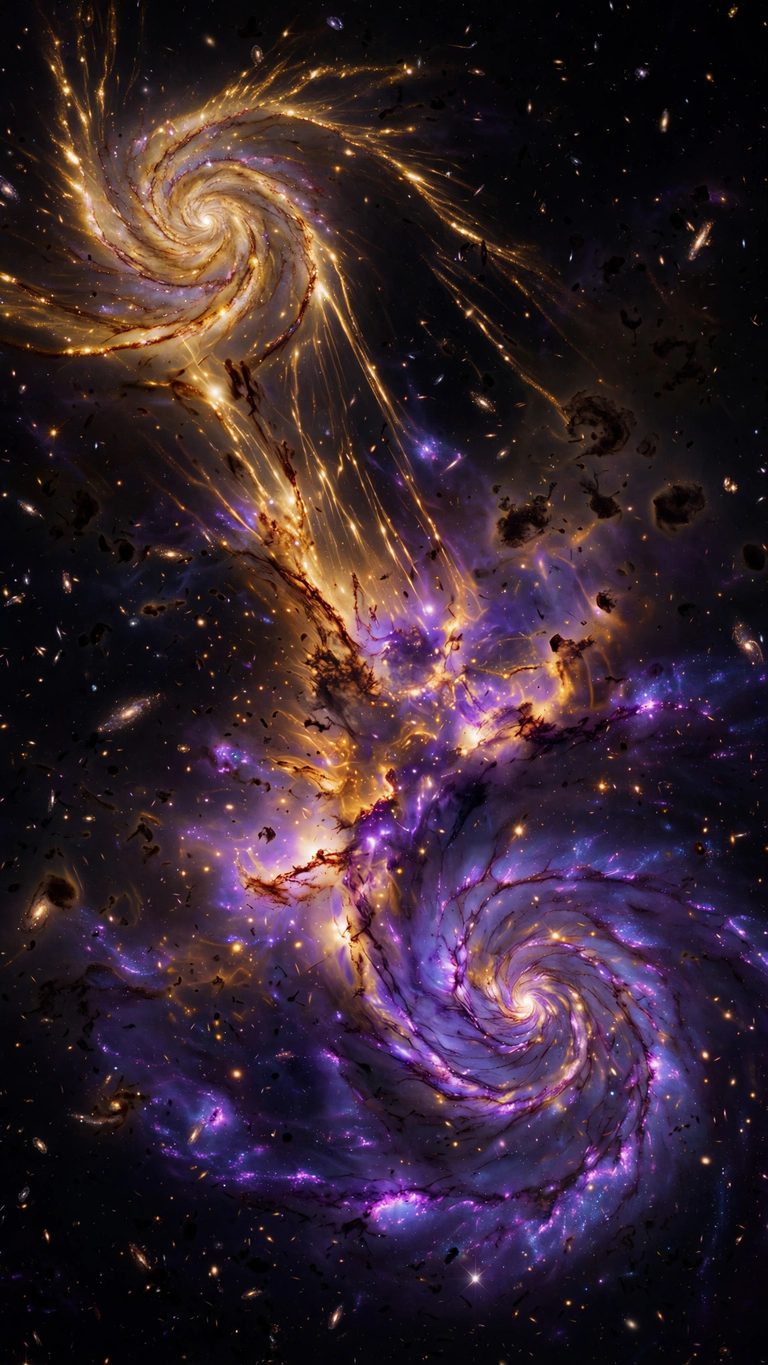
Imagine falling. Not falling down — falling forward, through a darkness so deep it has texture, past rivers of stars that blur into streaks of light as you accelerate. Ahead of you, two galaxies — each a whirlpool of a hundred billion suns — are tearing into each other in slow, majestic violence. Spiral arms stretch like taffy, stars are flung into the void, and clouds of interstellar gas ignite in violet and gold. This is not science fiction. This is what genuinely happens when galaxies collide, and it is the single most humbling spectacle the universe has to offer. The Galaxy Collision Zoom AI video prompt captures that exact moment: the camera hurtles through star fields straight toward the collision zone, handing your viewer the impossible sensation of witnessing cosmic history firsthand. In an era where attention is the scarcest currency online, nothing stops a thumb mid-scroll like the infinite. This article gives you the exact copy-paste prompt, breaks down the cinematic machinery that makes it work, and shows you how to turn ten seconds of deep-space footage into a viral short that leaves people staring at their screens in silence.
The Prompt
Copy the prompt below exactly as written and paste it into your favorite AI video generator:
Mind-bending deep space zoom into two colliding galaxies, spiraling arms of stars tearing and merging, camera accelerating through star fields toward the collision, glowing gas clouds in violet and gold, sense of infinite scale, awe-inspiring and humbling, ultra realistic, cinematic, 8k space documentary
Why This Prompt Works
This prompt succeeds because it stacks four different engines of virality on top of one another, and each one reinforces the others. The first engine is motion. The phrase “camera accelerating through star fields” does something most space prompts fail to do: it gives the shot a kinetic charge. A static nebula is pretty; an accelerating zoom is a ride. Viewers feel velocity in their bodies, and that physical sensation is what keeps them watching instead of swiping. The second engine is scale. “Sense of infinite scale” plus two colliding galaxies taps into existential awe — the specific emotion that makes people tag friends, write long comments, and share without being asked. Psychologists have found that awe shrinks the self and expands connection, which is precisely the cocktail that drives shares.
The third engine is color. Violet and gold sit on opposite sides of the color wheel, which means they vibrate against each other on screen. This complementary pairing is the same reason movie posters pair orange heroes with teal backgrounds — it is biologically impossible for the human eye to ignore. The fourth engine is authority framing. Ending with “ultra realistic, cinematic, 8k space documentary” tells the model to render in the visual language of prestige science programming, the look audiences already associate with truth and grandeur. The prompt also works because galaxy collisions are real — astronomers expect the Milky Way and Andromeda to merge in about 4.5 billion years — so the video carries a documentary thrill that pure fantasy can never match. Viewers are not just watching something beautiful; they are watching something true.
How to Use This Prompt
Follow these steps to turn the prompt into a finished vertical video, ready for Reels, Shorts, and TikTok:
- Pick your generator. Open Veo 3, Runway Gen-4, Kling 2.x, Pika 2.x, or Sora — all five handle cinematic space scenes well. Veo 3 and Kling currently render the most convincing star fields; Runway gives you the most control over camera motion.
- Paste the prompt exactly. Copy the full text from the
block above and paste it into the text-to-video field. Do not trim the quality tags at the end — "ultra realistic, cinematic, 8k space documentary" is what locks in the prestige-documentary look.
- Set vertical format. Choose 9:16 aspect ratio so the video fills a phone screen edge to edge. Vertical space footage performs dramatically better than landscape on short-form platforms.
- Set the duration. Generate a 10-second clip to match the prompt's accelerating zoom. If your tool caps shorter clips, generate the maximum and trim to the most intense 8–10 seconds.
- Generate and review. Run two or three generations and pick the one with the cleanest star fields and the most dramatic collision framing. Reject any version where the galaxies look like blurry smudges.
- Add sound. Layer a deep ambient drone or a slow orchestral swell underneath. Space content with cinematic audio gets significantly higher completion rates than silent versions.
- Post with a hook caption. Try: "This is what happens when two galaxies collide. 200 billion stars. One fate." Add hashtags like #space #cosmos #aivideo #galaxy #universe and post to Reels, Shorts, and TikTok in the same session.
Pro Tips & Creative Variations
Once you have the base video, the real creative fun begins. Start by experimenting with zoom speed: increase the acceleration and the clip becomes a thrill ride; slow it down and it becomes meditation. You can steer this by editing the prompt's motion phrase — try "camera drifting slowly" for a contemplative version or "camera plunging at terrifying speed" for pure adrenaline. Next, play with the palette. The violet-and-gold pairing is a proven winner, but "crimson and ice-blue" gives you a colder, more ominous collision, while "emerald and amber" feels alien and dreamlike. Because the prompt is modular, you can swap the color clause without breaking anything else.
For maximum engagement, add a fact overlay. Text like "The Milky Way will do this to Andromeda in 4.5 billion years" turns a pretty video into an educational moment, and educational space content gets saved — the strongest algorithmic signal there is. Try a series format: post the collision from three distances (wide, medium, extreme close-up) across three days and link them as a series. You can also reverse the motion for a haunting variation: "camera pulling away from the collision as galaxies separate" creates a melancholic, time-reversed feel that stands out in a feed full of zooms-in. Finally, consider a narrated cut. A calm voiceover explaining that no stars actually touch during a merger — the distances are too vast — adds a mind-bending twist that routinely doubles comment counts. Keep the visuals identical and change only the story you tell around them; that is how one prompt becomes a week of content.
Frequently Asked Questions
Q: Which AI video tool gives the best results for this prompt?
A: Veo 3 and Kling currently produce the most photorealistic deep-space renders, with convincing star density and light behavior. Runway is the best choice if you want to fine-tune the camera acceleration with motion controls. Pika is fastest for quick iterations, and Sora handles the physics of the scene elegantly. All five will produce a usable result from this prompt.
Q: Can I use the generated video commercially, like for a YouTube channel or client work?
A: That depends on the terms of the generator you use. Most paid tiers of Veo, Runway, Kling, Pika, and Sora grant commercial rights to outputs, while free tiers may restrict them. Always check your plan's license terms before monetizing, and keep a record of which tool and tier generated each clip.
Q: The galaxies in my render look blurry or melted. How do I fix that?
A: This usually means the model under-rendered the star detail. Regenerate with the quality tags emphasized, or append "sharp individual stars, detailed spiral structure" to the prompt. Generating at the highest available resolution and downscaling also helps. Avoid heavy motion in the same frame as fine detail — if the zoom is extreme, slightly reduce the acceleration.
Q: What music works best under a galaxy collision video?
A: Deep ambient drones, slow orchestral swells, and minimalist piano all work. The key is a slow build that matches the camera acceleration — sound that rises as the zoom intensifies. Avoid anything with lyrics or a fast beat; they fight the sense of cosmic scale. Royalty-free libraries have entire "space documentary" categories built for exactly this.
In the end, this prompt works because it gives people something they can never see with their own eyes and makes them feel it in their chest. Two galaxies, a hundred billion stars each, dancing a gravitational waltz that takes millions of years — compressed into ten seconds on a phone screen. Copy the prompt, render it, and post it. The universe does the rest of the work for you.
Related Viral Prompts
- Astronaut Spacewalk AI Video Prompt: Experience a Breathtaking First-Person Spacewalk Above Earth for Free
- Black Hole Accretion Disk AI Video Prompt: Take a Hypnotic Orbit Around a Supermassive Black Hole in 8K
- Alien Planet Surface Walk AI Video Prompt: Explore a Strange Exoplanet World in Cinematic Rover POV Video
# A I V i d e o # P r o m p t B a z a r # G a l a x y # S p a c e # C o s m o s

Leave a Reply