
Introduction
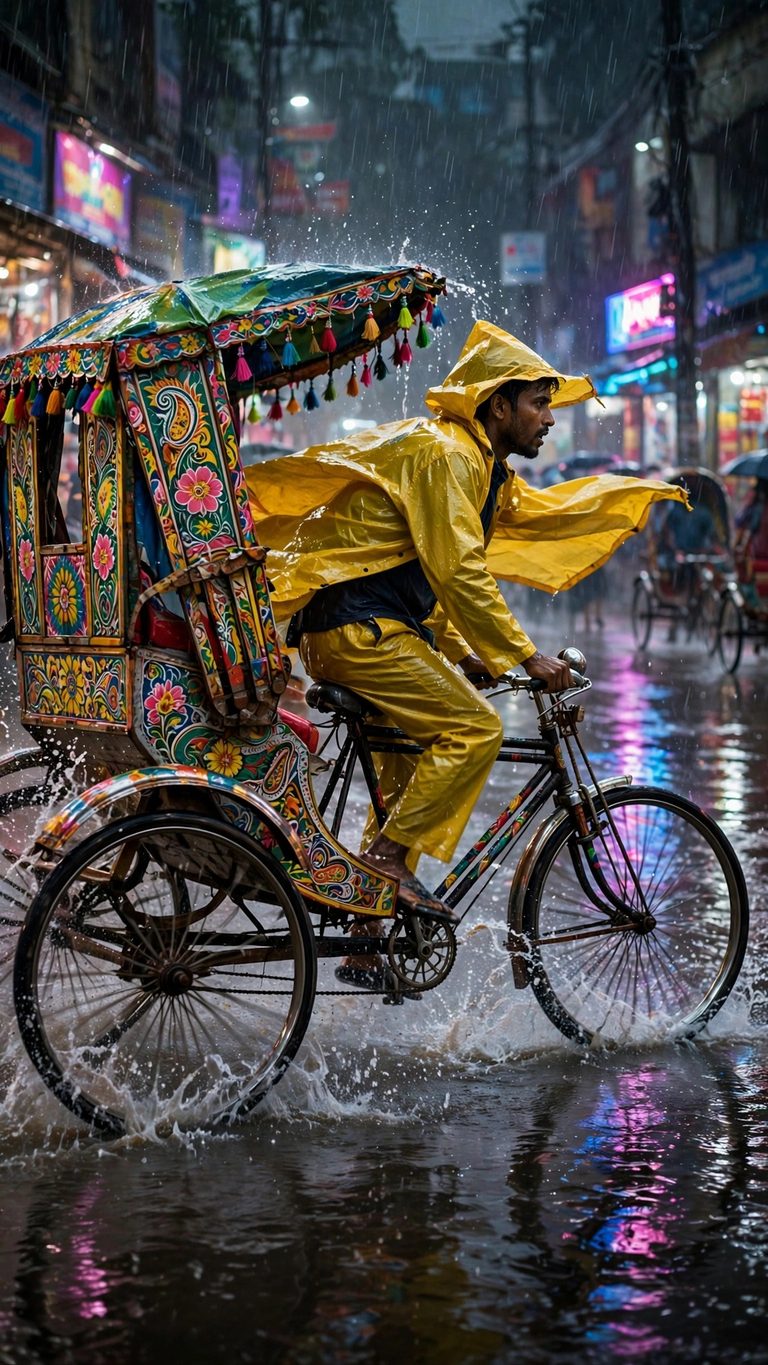
There is a particular magic that only a monsoon downpour creates in Dhaka. Streets turn into shallow rivers, traffic horns blur into a watery hum, and the city’s bustle refracts through sheets of rain and glowing puddles. In the middle of it all, the humble rickshaw keeps going: colorful and hand-painted, splashing bravely through flooded lanes while its puller leans into the pedals, raincoat snapping in the wind. It is one of the most photogenic scenes on the planet, and short-form platforms cannot get enough of it.
What makes this scene so powerful is its instant cultural texture: exotic to a global audience yet deeply familiar across South Asia, telling a story of resilience without a single word of dialogue. Best of all, you need no film crew or trip to Bangladesh. With this AI video prompt, you can generate a cinematic rain-soaked rickshaw scene in seconds and post it as a scroll-stopping #AIVideo clip. This article breaks down the prompt, explains why it works, shows you how to use it across today’s best AI video tools, and gives you pro tips to make every render uniquely yours.
The Prompt
Copy the full prompt below and paste it directly into your AI video generator of choice. It has been tuned with the descriptive detail that modern video models need.
Atmospheric shot of a colorfully painted rickshaw splashing through rain-flooded Dhaka streets, puller pedaling hard with raincoat flapping, neon shop signs reflecting in puddles, monsoon chaos and charm, cinematic rain streaks, ultra realistic, vibrant street life
Why This Prompt Works
Great AI video prompts share one trait: they give the model a concrete subject, a vivid environment, dynamic motion, and a clear visual style, all in one breath. This prompt does all four. The subject is unmistakable: a colorfully painted rickshaw with its puller. The environment is rain-flooded Dhaka streets, instantly evoking water, reflections, and urban density. The motion is alive: splashing wheels, a puller pedaling hard, a raincoat flapping. The style is cinematic and ultra realistic with vibrant street life, which pushes the model toward rich color and believable physics rather than a flat, generic rain scene.
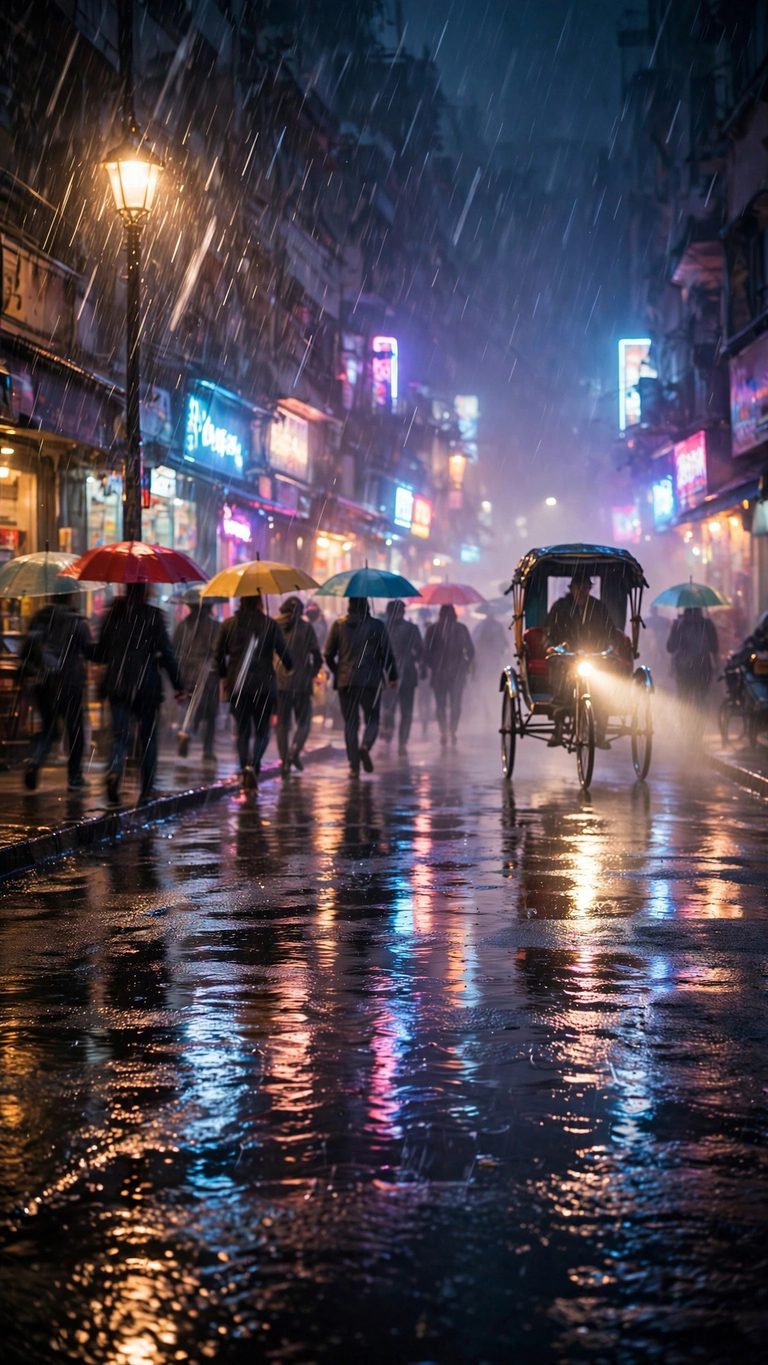
From a visual psychology standpoint, rain is one of the strongest attention magnets in short video. Human eyes are wired to track movement, and falling rain, splashing water, and streaking neon reflections deliver constant motion across the whole frame. Neon shop signs mirrored in puddles add complementary color contrast, which makes the clip pop on small phone screens even before a viewer reads the caption. The rickshaw itself acts as a natural focal point: its hand-painted colors and canopy give the eye something to follow while the chaos swirls around it. This layered composition is what makes the clip rewatchable, and rewatches are the fuel of viral reach.
On platforms, monsoon content has a proven seasonal cycle. Search and discovery traffic for rain videos spikes every monsoon season, and cultural street scenes travel especially well because they invite comments. Viewers argue good-naturedly about the best rickshaw art, tag friends from Dhaka, and share memories of their own rainy commutes. That comment velocity tells recommendation algorithms the clip is worth pushing. The 9:16 vertical framing in the prompt is also deliberate: it is the native shape of TikTok, Reels, and Shorts, so your render needs no cropping and no wasted frame edges. In short, this prompt is engineered for shareability from the first pixel, and it is a perfect example of how a well-built #Monsoon prompt converts atmosphere into engagement.
How to Use This Prompt
Using this prompt is simple, but a few platform-specific tweaks will raise the quality of your results. On Google Veo 3, paste the prompt as-is and select 8 seconds at 720p or higher; Veo excels at cinematic rain and reflections, so let it render at its default aspect setting and add “camera slowly pushes in toward the rickshaw” if you want a more directed shot. In Runway Gen-4, paste the prompt into the text field, choose a 9:16 output, and try a slightly longer 8 to 10 second duration for smoother water physics; Runway’s motion brush can be used afterward to intensify the splash around the wheels.
In Kling, which handles complex street scenes well, keep the prompt intact and set the creativity slider to a moderate value so the rickshaw art stays coherent instead of morphing between frames. For Pika, add the prompt, enable its high-motion setting, and consider generating two variations to pick the one with the best raincoat and splash dynamics. On OpenAI Sora, the prompt works directly in storyboard mode: pin the first frame to the rickshaw entering the flooded lane and the last frame to neon reflections filling the puddles. Whichever tool you use, generate at least three takes. AI rain is stochastic, and the third render often has the most believable splash physics. Save your best take with a filename that includes the scene, so you can find it later.
Pro Tips & Creative Variations
The base prompt is strong, but customization is where your video stops looking like everyone else’s. Start with the rickshaw itself: specify the art on its panels, such as “rickshaw painted with tigers and film stars” or “rickshaw canopy patterned with marigolds,” to get a distinct hero vehicle that viewers remember. Change the time of day for a completely different mood. A night version with “neon signs blazing through the downpour” becomes a cyberpunk Dhaka, while a golden-hour version with “sun breaking through rain clouds over the flooded street” feels warm and nostalgic. Both work with the same core prompt.
Adjust the camera language to control energy. Swap “atmospheric shot” for “low tracking shot behind the rickshaw wheels” for kinetic street energy, or “aerial shot descending into the flooded street” for an establishing shot that works as a video opener. Add human detail to deepen the story: “a passenger holding an umbrella inside, laughing” or “a street vendor covering his cart with a tarp at the roadside” turns a pretty scene into a small narrative. For weather intensity, append phrases like “torrential downpour” or “light drizzle at dusk” depending on whether you want drama or calm.
If you are building a series, generate the same street in three weather states (dry, drizzle, downpour) and cut them together for a “before, during, after the monsoon” sequence. You can also pair this scene with the lightning or puddle-reflection prompts from the same Rain and Monsoon collection to build a multi-clip monsoon story arc. Finally, keep the “ultra realistic” and “cinematic rain streaks” phrases intact unless you deliberately want a stylized look; they are doing heavy lifting to keep the render grounded. With these variations, one prompt can supply a week of distinct content.
Frequently Asked Questions
Which AI video tool gives the best rain effects for this prompt?
Veo 3 and Kling currently produce the most convincing rain and water reflections, with Veo slightly ahead on cinematic streaking rain and Kling strong on busy street geometry. Runway is a solid third choice with good control tools. The prompt was written to be tool-agnostic, so try your favorite first and compare two renders before committing to one pipeline.
How do I keep the rickshaw from warping or changing between frames?
Morphing happens when the model is unsure about a complex subject. Reduce the motion intensity or creativity slider one notch, add “consistent rickshaw design throughout” to the prompt, and keep the clip to 8 seconds. Shorter clips give the model fewer frames in which to drift. If one element still warps, generate again; two or three takes usually yield a stable version.
Can I use the generated video commercially?
That depends on the terms of the AI video tool you use, so check your plan’s commercial-use policy before monetizing. Most paid tiers allow commercial use of outputs. If you post on a monetized channel, keep your generation receipts and note the tool in your records.
What caption and hashtags work best with this clip?
Lean into place and feeling: a short caption about monsoon Dhaka plus tags like #AIVideo, #Monsoon, and #Dhaka. Post during evening hours in South Asia when rain content gets the most nostalgic engagement, and reply to the first comments quickly to boost the clip’s early momentum.
Monsoon magic is waiting. Paste this AI video prompt into your favorite generator, render the rain-soaked streets of Dhaka, and watch your audience get swept into the storm. Try it today, experiment with the variations above, and share your best rickshaw run with the world.
Related Viral Prompts
- Lightning Strike in Slow Motion: An Epic AI Video Prompt for Jaw-Dropping Storm Videos (Full Tutorial)
- Rain on a Village Tin Roof: A Nostalgic AI Video Prompt for Cozy Monsoon Memories (Step-by-Step Guide)
- Puddle Reflections of City Life: An Artistic AI Video Prompt for Dreamy Urban Videos (Full Creative Tutorial)
# A I V i d e o # P r o m p t B a z a r # R i c k s h a w # D h a k a # M o n s o o n


Leave a Reply