
Introduction
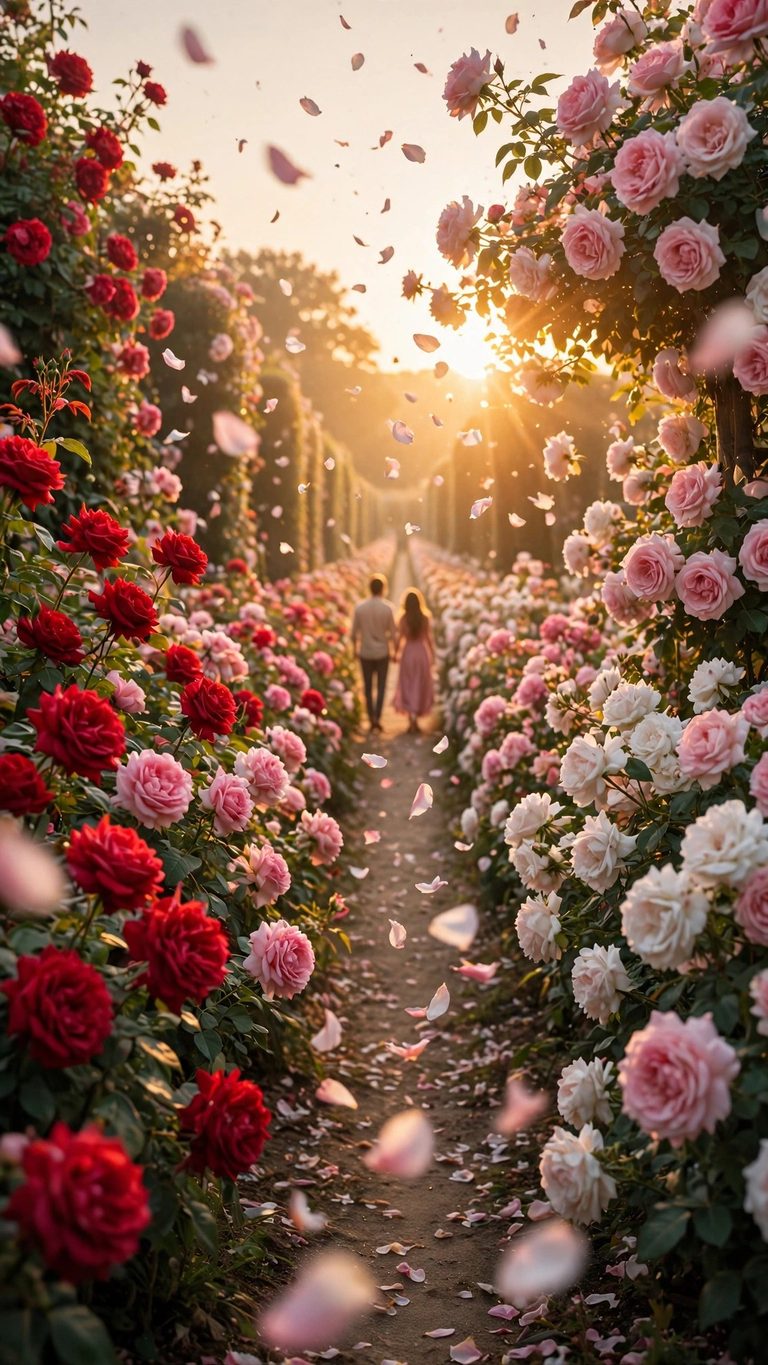
Nothing sells romance on short-form video quite like a rose garden at golden hour. Rows of red, pink, and white roses stretching to the horizon, petals drifting lazily on a warm breeze, a couple holding hands in the soft-focus distance — this is the kind of scene that makes viewers stop scrolling and start dreaming. Romantic garden walks are evergreen viral content: they perform reliably around Valentine’s Day and wedding season, but they also work year-round because they tap into something universal. Everyone has someone they would walk that path with, and the comment sections prove it — these videos fill with tags, dedications, and proposals. A well-crafted rose garden stroll does not just showcase beautiful AI video; it becomes a digital love letter that viewers send to each other. The gliding camera, the sun flaring through the blooms, and the dreamlike haze of golden light combine into an atmosphere that feels lifted from a film’s most tender scene. In this guide, you get a battle-tested prompt built for Veo 3, Runway, Kling, Pika, and Sora that generates a cinematic rose garden walk in seconds. You will also learn exactly why each phrase in the prompt earns its place, how to tune it for every major platform, and how to spin it into variations — different times of day, different seasons, different stories — so one prompt becomes an entire content series.
The Prompt
Copy the exact prompt below into your AI video generator. It is tuned for a 9:16 vertical, 10-second clip with a smooth gliding camera move.
Romantic slow walk through an endless rose garden at golden hour, rows of red pink and white roses on both sides, petals drifting in the breeze, a couple holding hands in the distance, sun flaring through blooms, fragrant dreamlike atmosphere, smooth gliding camera, ultra realistic, cinematic romance
Why This Prompt Works
This prompt is a masterclass in layered scene-building, and each phrase serves a distinct cinematic function. “Romantic slow walk” sets both the genre (romance) and the pacing (slow) in three words — pacing matters because a slow move feels luxurious while a fast one feels like a travel vlog. “Through an endless rose garden” is a clever scale trick: “endless” pushes the model to extend rows toward the horizon, creating depth and grandeur without any extra geometry to describe, while the word “through” places the viewer inside the scene rather than looking at it from outside. “At golden hour” is the single most valuable lighting token in all of AI video prompting. Golden hour — the hour before sunset — gives warm, flattering, low-angle light that makes everything cinematic, and models have been trained on millions of golden-hour images, so they render it with exceptional reliability. “Rows of red pink and white roses on both sides” does three jobs at once: the rows create natural leading lines that pull the eye toward the vanishing point (a classic composition technique), the three colors provide a rich but harmonious palette, and “on both sides” frames the walkway symmetrically, which reads as intentional and elegant. “Petals drifting in the breeze” adds secondary airborne motion — floating petals are to garden videos what dust motes are to horror films: tiny moving details that make the air itself feel alive. Here is a subtle genius move: “a couple holding hands in the distance.” Placing the couple far away gives the scene its emotional anchor — viewers project themselves into that silhouette — while conveniently avoiding the uncanny-valley face problems that plague AI-generated close-ups. Distance is a feature, not a limitation. “Sun flaring through blooms” adds lens flare, a hallmark of romantic cinematography that signals “this is a memory, not a recording.” “Fragrant dreamlike atmosphere” is a sensory-mood anchor — you cannot render smell, but the word pushes the model toward softness and haze. “Smooth gliding camera” specifies gimbal-like stabilization, eliminating the jitter that screams amateur. Finally, “ultra realistic” and “cinematic romance” are quality and genre tokens that polish the output into something that looks directed, not generated. The result is a prompt that behaves less like a description and more like a shot list.
How to Use This Prompt
Here is a practical, platform-by-platform workflow for this rose garden walk prompt. On Google Veo 3, paste the full prompt, select 9:16 vertical, and set 10 seconds duration. Veo 3’s native cinematic bias renders golden-hour scenes beautifully; keep the camera on its default gentle move and avoid adding extra motion words on your first generation. On Runway Gen-4, paste the prompt and add a negative prompt like “shaky camera, distorted faces, extra limbs, watermark” — the distant couple occasionally triggers limb artifacts, and a negative prompt keeps them clean. If the glide feels too fast, regenerate with the same prompt; Runway’s motion variance means a second roll often lands the perfect pace. On Kling, Professional mode at 10 seconds is ideal. Kling handles long, smooth camera moves well, so the “smooth gliding camera” instruction lands reliably; if the roses look repetitive, append “varied rose bushes, natural asymmetry” to break the pattern. On Pika, use the cinematic preset and consider lowering motion strength slightly so the petals drift gently rather than swirl chaotically. On Sora, paste the prompt as-is — Sora’s understanding of romantic lighting is excellent, and it tends to produce the most filmic version of this scene with zero tweaks. After generating, review two to three takes and choose the one where the couple’s silhouette is clearest and the camera glide feels steadiest. Add a trending romantic audio track, export at 1080×1920, and write a caption with a question or dedication (“Tag someone you’d walk here with”) to drive comments and shares.
Pro Tips & Creative Variations
This prompt is a franchise starter — here is how to build a whole series from it. First, change the time of day: swap “golden hour” for “soft blue dawn with morning mist” for a melancholic, poetic mood, or “moonlit night with fireflies” for pure fantasy romance. Each lighting swap gives you a brand-new video from the same structural prompt. Second, change the season: try “rose garden dusted with light snow at dusk” for a winter romance, or “autumn rose garden with falling leaves” — seasonal versions perform strongly when posted in-season. Third, alter the human story: replace the distant couple with “a bride walking alone with her bouquet” (wedding niche gold), “an elderly couple holding hands” (highly emotional, huge share potential), or “empty path, no people” for a pure ambience piece that works as a looping background. Fourth, vary the camera: append “slow aerial drone rising above the rose rows” for a grand reveal, or “intimate eye-level tracking shot” for immersion. Fifth, build narrative tension: generate two clips — one of the empty garden, one with the couple appearing — and edit them as a before/after or “wait for it” sequence, which boosts watch time dramatically. A common mistake is letting the couple get too close to the camera, where AI faces fall apart; always keep human figures at mid-to-far distance in flower scenes. Another pro move is color grading consistency: run all clips in a series through the same warm LUT in your editor so your profile grid looks cohesive and premium. Finally, think beyond the post — this style of video makes exceptional wedding invitation backgrounds, anniversary tributes, and proposal videos. Offering “custom AI garden walks” as a micro-service to your audience can turn a viral prompt into actual income.
Frequently Asked Questions
Q: My generated couple looks distorted or has strange faces. How do I fix it?
A: Keep people distant and small in the frame — that is exactly what this prompt does. If artifacts persist, add a negative prompt like “distorted faces, extra limbs, deformed hands” (Runway, Pika), or regenerate until the silhouette is clean. Never zoom in on AI-generated faces in the same clip; generate a separate close-up only if you must, and inspect it frame by frame.
Q: Which platform renders the smoothest gliding camera motion?
A: Kling and Veo 3 currently produce the most stable long camera moves. Runway is excellent but has more motion variance between generations, so roll two to three takes. Pika lets you tune motion strength directly, which helps if petals or camera feel too frantic.
Q: Can I make a longer video by stitching multiple generations together?
A: Yes — this is the standard technique for extending AI clips. Generate several 10-second variations, pick matching ones (similar lighting and rose colors), and cross-dissolve between them in your editor. A 30-second compilation of three seamless garden walks performs exceptionally well as a “calm ambience” or “romantic loop” post.
Q: What captions and hashtags work best for romantic garden videos?
A: Captions that invite tagging outperform everything else: “Tag someone you’d walk here with,” “Send this to your person,” or a simple “POV: our future.” Pair with five to eight hashtags mixing broad (#AIVideo, #Romantic) and niche (#RoseGarden, #GoldenHour) tags, and post in the evening when romantic content gets the most engagement.
This rose garden walk prompt turns a single sentence into a cinematic love story. Generate it in Veo 3, Runway, Kling, Pika, or Sora, pair it with the perfect romantic audio, and post it with a caption that invites tagging — then watch the shares roll in. Copy the prompt, create your golden-hour stroll, and start building your own endless garden series today.
Related Viral Prompts
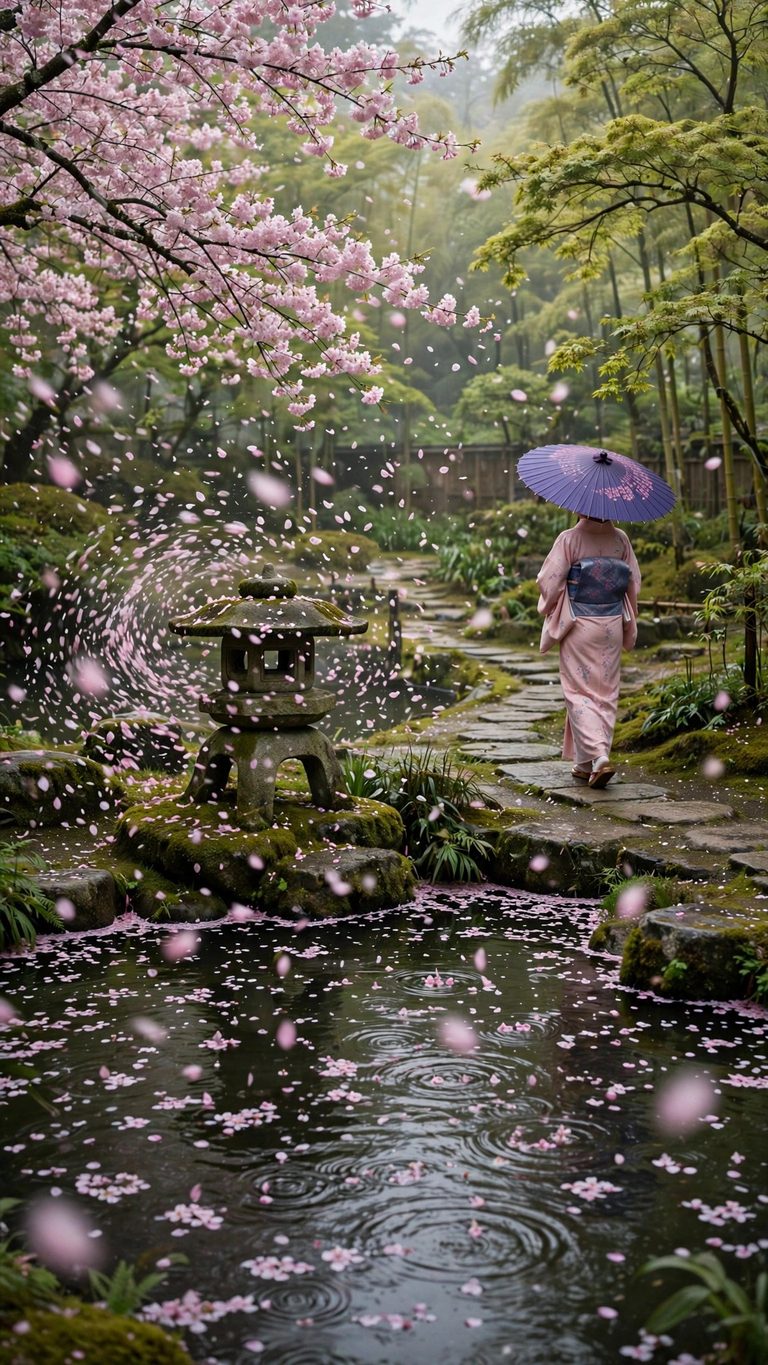
- Cherry Blossom Wind AI Video Prompt: Create a Dreamy Petal Blizzard Scene in a Japanese Garden Paradise
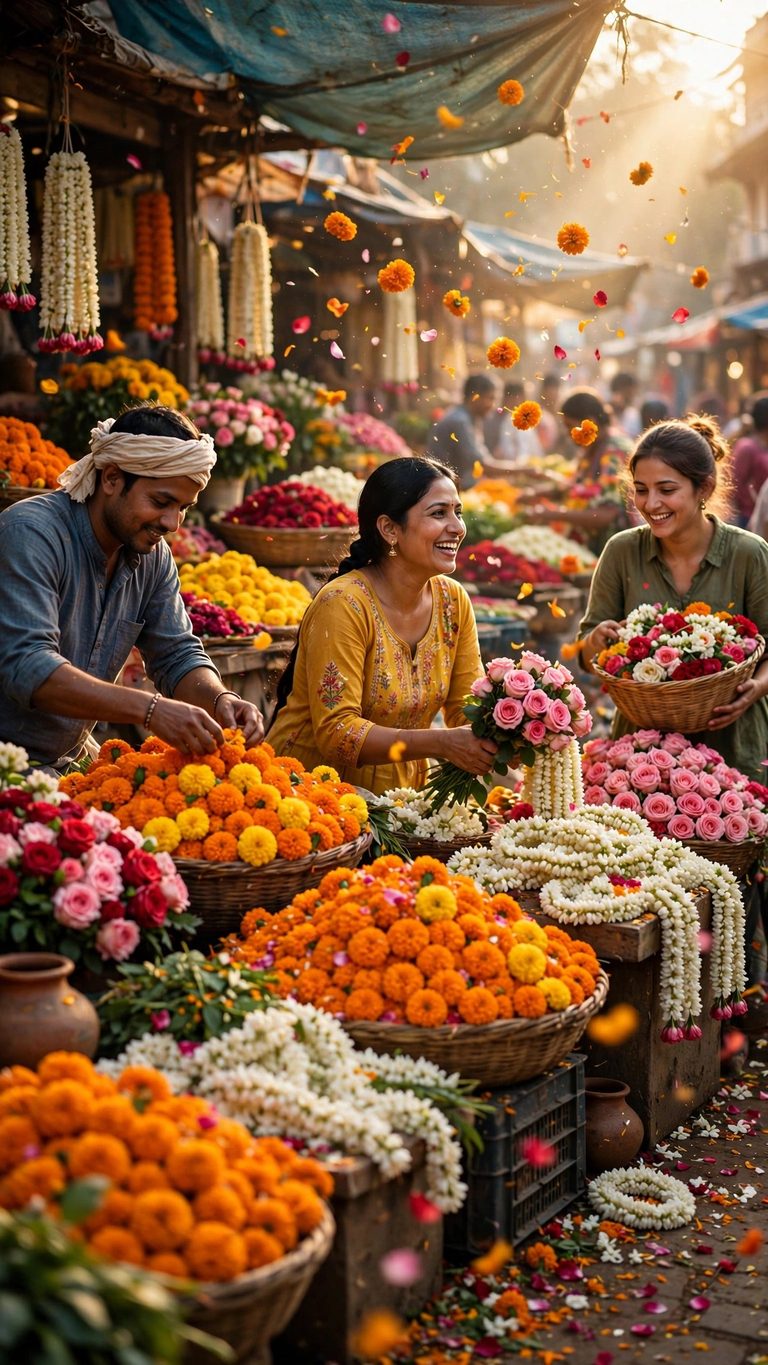
- Flower Market Morning AI Video Prompt: Create a Vibrant Cinematic Scene of Marigolds, Roses and Vendors
- Butterfly Garden AI Video Prompt: Create a Magical Conservatory Scene with Fluttering Butterflies and Orchids
# A I V i d e o # P r o m p t B a z a r # R o s e G a r d e n # R o m a n t i c # W a l k

Leave a Reply