
Introduction
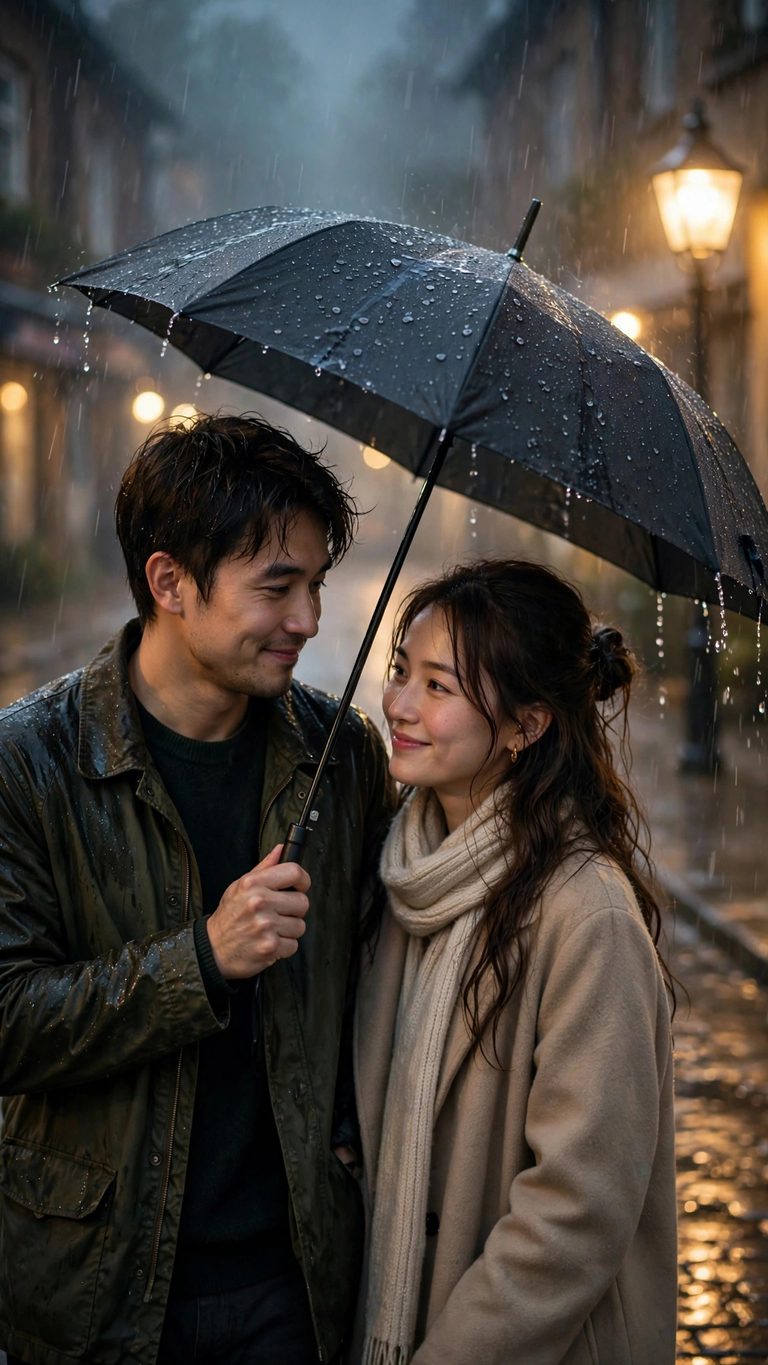
Some romantic images are so deeply embedded in our collective imagination that a single frame is enough to tell the whole story. Two people, one umbrella, rain falling everywhere except where they stand together: it is cinema’s oldest shorthand for tenderness, and it still melts audiences every single time. The shared umbrella says everything without a word. He tilts it toward her. Their shoulders touch. They exchange the shy, half-hidden smile of people who are pretending the rain is the reason they are standing so close. This prompt captures that exact beat in a sweet cinematic shot: a couple walking close on a quiet street in gentle rain, raindrops beading on the umbrella, soft street lamp glow wrapping the scene in gold. In eight seconds you get a complete emotional miniature, the kind of clip viewers save to their collections, send to their partners, and replay on rainy days. For creators, it is a proven format with endless reuse potential.
The Prompt
Copy the block below character for character into your AI video tool. The tilted umbrella, the beading raindrops, and the street lamp glow are the details that make this trope feel fresh instead of clichéd:
Sweet cinematic shot of a couple sharing one umbrella in gentle rain, walking close on a quiet street, umbrella tilted toward her, shy smiles exchanged, raindrops beading on umbrella, soft street lamp glow, tender romantic mood, ultra realistic, cinematic, 8k
Why This Prompt Works
Classic tropes go viral precisely because they are classics. The shared umbrella is a visual every viewer already understands, which means the clip needs zero setup and delivers its emotional payload instantly. In the attention economy of Reels and TikTok, that instant readability is a superpower: there is no exposition to sit through, no context to decode, just rain, closeness, and a feeling. The psychology runs deeper than nostalgia. Rain is one of the most evocative sensory triggers in visual media; it signals coziness, shelter, and the delicious feeling of being protected from the world, which maps directly onto romantic attachment. The umbrella tilted toward her is a micro-gesture of care, and micro-gestures outperform grand declarations in short-form content because they feel authentic. Viewers read the tilt as proof of devotion in a single detail, and that detail is what gets screenshotted, quoted, and duetted. The shy smiles matter too: restrained emotion invites projection, letting each viewer pour their own story into the frame. Platform trends confirm the format’s strength. Rain aesthetic content has a massive, evergreen audience across #Rain edits, lo-fi compilations, and monsoon-season spikes, and romantic rain clips sit at the intersection of all three. Because the scene is dialogue-free and culturally universal, it performs across regions and languages, and it pairs with an enormous range of trending audios, from soft acoustic covers to cinematic piano. Tender small moments like this are also highly shareable between partners, which drives the sends and shares that algorithms reward most.
How to Use This Prompt
Paste the full prompt into your generator and configure 9:16 vertical output at 8 seconds with a walking tracking move, per this post’s settings. In Veo 3, the tracking shot language is well supported; expect a smooth lateral glide that keeps the couple centered while the street slides past. In Runway, select 9:16 and 8 seconds, and if the rain looks sparse on the first pass, regenerate, since rain density varies between generations and you want a gentle but visible fall. Kling renders wet surfaces and reflections beautifully, so the rain-slicked street and beading umbrella should look especially rich there; keep motion settings moderate so the walking pace feels unhurried. In Pika, a light negative prompt like “heavy storm, harsh rain, daytime” helps preserve the gentle, golden mood. Sora handles the cinematic grade naturally, leaning into the warm street lamp glow against cool rain tones. In post, add soft rain ambience under your chosen music, a trending gentle piano or acoustic track works beautifully, and consider a subtle slow-motion ramp on the smile exchange to stretch the emotional peak. A one-line text hook such as “stay close” in the first second boosts saves on #ViralReels, and the quiet-street setting means the clip also works as a seamless loop.
Pro Tips & Creative Variations
The pro tips for this post are a masterclass in romantic micro-detail, so treat each one as a quality checkpoint. The umbrella tilt is the soul of the scene: it must visibly lean toward her, because that asymmetry is what reads as care. If a render centers the umbrella evenly, regenerate with the tilt emphasized. The “raindrops on umbrella” detail is your texture anchor; beading water catches the street lamp light and gives the frame its tactile, cinematic richness, so protect it on every pass. The shy smile exchange is the emotional climax, and timing matters: it should land mid-clip, giving viewers a beginning, a peak, and a gentle resolve within eight seconds. For variations, the rain itself is your playground. Try a neon-lit city street for a cyber-romantic grade, a European old-town lane with cobblestones for timeless elegance, or a quiet park path with rain on leaves for a softer natural mood. A night version with stronger lamp glow and reflections doubles the cinematic drama, while a misty morning version feels delicate and editorial. You can also flip the gesture: have her tilt the umbrella toward him for a fresh take that plays well with modern audiences, or widen the shot to reveal the empty rainy street stretching behind them, emphasizing their private bubble. Seasonal cuts perform strongly, so a monsoon version and a spring-drizzle version can anchor a two-part series. Finally, generate a matching close-up of rain beading on the umbrella fabric and intercut it; that single insert shot is pure #Umbrella aesthetic and makes excellent cover art for the post.
Frequently Asked Questions
How do I get the rain to look realistic instead of like visual noise?
Gentle rain is harder for models than storms, so specify it clearly, as this prompt does. Kling and Veo 3 currently render the most natural rainfall. If drops look like static, lower the motion strength slightly and regenerate. Adding “soft visible rain streaks” can help, and a touch of motion blur in post sells the effect.
Will the umbrella and hands render correctly?
Umbrellas are geometrically simple, which models handle well, and hands are mostly occupied holding the handle, reducing artifact risk. If fingers look off, a light negative prompt like “distorted hands, extra fingers” usually fixes it. The medium-wide tracking shot also keeps hands small in frame, which is forgiving.
What is the best audio for a rainy romance clip?
Layer real rain ambience softly under a trending gentle track; the combination of diegetic rain sound and music is deeply immersive. Lo-fi piano, soft acoustic guitar, or a slowed romantic song all fit. Keep the rain audible but low, around twenty percent of the mix, so it textures the scene without competing with the melody.
Can I turn this into a series?
Yes, and you should. The umbrella trope supports a natural episodic arc: meeting in the rain, walking together, the tilt, the smile. Generate three to four matching clips with consistent outfits and grade them identically, then release them as a series. Series content drives profile visits and follows, and the #Romance audience loves a continuing story.
One umbrella, two heartbeats, and rain falling everywhere else: this prompt distills romance to its most timeless image. Generate your rainy-day scene, layer in soft rain ambience, and share the quiet magic of walking close. Someone out there is waiting to send it to their person.
Related Viral Prompts
- Candlelight Dinner Date AI Video Prompt: Elegant Romantic Table Scene for Reels, TikTok & YouTube Shorts
- Hot Air Balloon Romance AI Video Prompt: Breathtaking Sunrise Aerial Couple Scene for Viral Reels & TikTok
- Sunset Couple Silhouette AI Photo Prompt: Foreheads Touching Beneath a Breathtaking Orange-Pink Golden Hour Sky
# A I V i d e o # P r o m p t B a z a r # U m b r e l l a # R a i n # R o m a n c e # V i r a l R e e l s

Leave a Reply