

Introduction
Hover above a healthy coral reef at noon and the ocean stops looking like water and starts looking like a city. A wide-angle reef panorama is the hardest shot in underwater photography and also the most rewarding, because it captures not just an animal but an entire living system in a single frame. The problem is that real reef panoramas demand perfect visibility, perfect sun angle, a fisheye lens, and a reef healthy enough to deserve the panorama in the first place. Few divers ever get all four at once. This AI photo prompt hands you the impossible shot on demand: a thriving coral garden in rainbow color, a clownfish school dancing above the anemones, and a reef shark cruising the blue distance, all bathed in shafts of sunlight. Below you will find the exact prompt, a breakdown of why each phrase works so hard, and step-by-step instructions for Midjourney, DALL-E 3, and Flux. If you have ever wanted a #CoralGarden panorama for your wall, your feed, or your next conservation project, this is the prompt that delivers it.
The Prompt
Copy the prompt below exactly as written, then paste it into your image generator of choice:
Breathtaking wide-angle photograph of a thriving coral garden, brain corals fan corals and staghorn in rainbow colors, clownfish school above anemones, a reef shark patrolling the blue distance, sun rays from above, thriving ecosystem panorama, ultra detailed, 8k, professional underwater photography, photorealistic
Why This Prompt Works
This prompt succeeds because it thinks like a landscape photographer, not a wildlife photographer: it builds the image in layers from foreground to background, and it gives each layer a specific job. The opening phrase, “Breathtaking wide-angle photograph,” sets both the emotional bar (breathtaking) and the optical system (wide-angle), which tells the model to expect an expansive field of view with that characteristic slight edge curvature of a fisheye or ultra-wide lens. Then the prompt names three distinct coral species – “brain corals, fan corals and staghorn” – instead of just saying “coral reef,” and that specificity matters enormously. Diffusion models trained on millions of reef photos have learned what each coral morphology looks like, so naming them produces a believable mix of domes, waving fans, and branching antlers rather than a generic lumpy pink mass. “In rainbow colors” is the color-direction phrase, pushing saturation and variety across the frame so the garden reads as thriving rather than bleached or monochrome. The midground gets its life from “clownfish school above anemones,” which adds motion, scale, and a flash of orange that contrasts beautifully against the reef palette. Here is a subtle piece of genius: “a reef shark patrolling the blue distance.” One shark, far away, small in frame. That single distant predator does three things at once: it creates depth by giving the eye a vanishing point, it adds a whisper of drama without turning the scene into a shark-attack poster, and it signals a healthy ecosystem, since apex predators only cruise reefs that can support them. “Sun rays from above” is the lighting rig, the classic god-ray look that every diver recognizes, and “thriving ecosystem panorama” is the mood summary that ties the whole composition together and reinforces the wide framing. The closing quality stack – “ultra detailed, 8k, professional underwater photography, photorealistic” – locks in the technical finish. Notice what the prompt does not do: it never mentions a diver, a camera brand, or a watermark, so the model fills the frame with pure reef. The result is a prompt with remarkable hit rate, which is why versions of it circulate widely in the #AIPhoto community whenever someone needs a hero reef image fast.
How to Use This Prompt
Wide panoramas stress image models more than close-ups do, because there is simply more scene to keep coherent. These steps keep the reef sharp from edge to edge.
- Midjourney: Paste the prompt and add
--ar 9:16 --v 7for the vertical format, or switch to--ar 16:9if you want a true desktop wallpaper panorama. Add--style rawto keep colors honest rather than oversaturated. Generate at least three variations; wide scenes vary more between seeds than portraits do. - DALL-E 3: Paste the prompt into ChatGPT and specify “wide 16:9 landscape orientation” since DALL-E 3 can do proper widescreen. If corals look melted or the shark looks deformed, simplify by removing one coral species and regenerating; fewer elements means fewer chances for anatomical errors.
- Flux: Flux is excellent at keeping many small elements coherent, so paste the prompt verbatim at 9:16 or 16:9. A guidance value around 3.5 preserves the delicate fan coral shapes without turning them into plastic.
- Check the edges: Wide-angle generations often smear details at the frame edges. Inspect the corners at full resolution and regenerate if the corals dissolve into mush; sometimes adding “sharp focus throughout, deep depth of field” helps.
- Finish the grade: Upscale your pick, then apply a gentle S-curve for contrast and a slight cyan lift in the shadows. Real reef photos always have particulate matter in the water, so a whisper of fine grain actually increases realism.
Pro Tips & Creative Variations
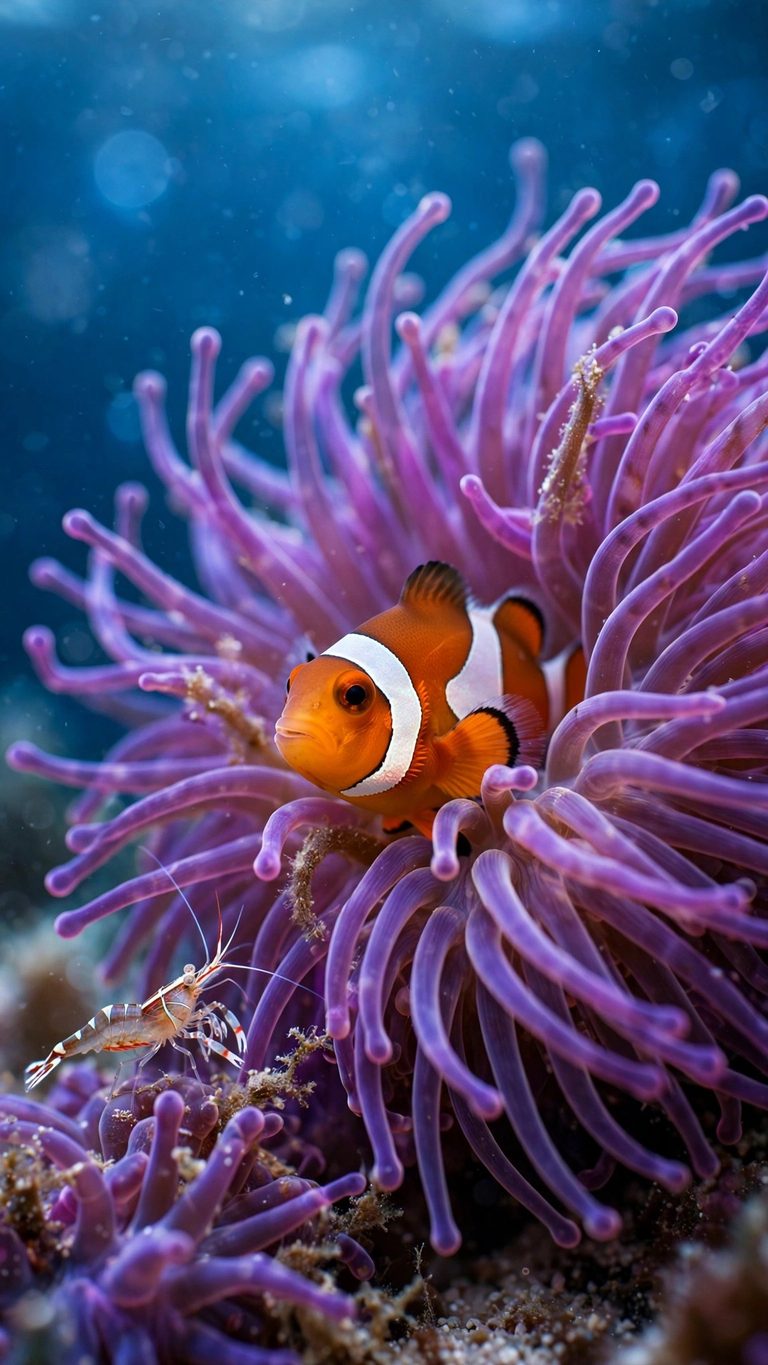
The base prompt is a healthy noon reef, but the same skeleton supports a dozen moods. For golden hour magic, replace “sun rays from above” with “low golden sun slanting through the water, long shadows across the sand” and you get a warm, cinematic reef that looks like the last dive of the day. A night-dive version – “moonlit reef, diver light beams, hunting moray eel, glowing plankton” – trades the rainbow for deep blues and drama. If you want to tell a conservation story, generate a diptych: first the thriving garden as written, then the same prompt with “bleached white corals, murky water, empty blue” for a devastating before-and-after pair that fundraisers love. Species swaps keep things fresh without redesigning the prompt: trade the reef shark for “a green sea turtle gliding overhead” for a gentler mood, or “a school of barracuda forming a silver tornado” for pure spectacle. Macro lovers can invert the concept entirely by changing “wide-angle” to “extreme macro” and “coral garden” to “single staghorn branch with tiny coral polyps extended, commensal shrimp” – same ecosystem, completely different photograph. Time-of-day and weather are powerful levers: “stormy surface, dramatic light shafts breaking through chop” adds energy, while “perfectly calm surface, mirror-like Snell’s window above” creates an almost spiritual symmetry. For social content, try the vertical 9:16 version with the shark positioned in the upper third; that composition stops thumbs because the eye travels from colorful foreground to the mysterious blue distance. Advanced users can chain prompts: generate the reef, then feed it to an image-to-video model with “camera slowly pushes forward, fish dart, light rays sway” for a thirty-second ambient loop perfect for meditation apps or lobby screens. Keep a text file of your winning variations with their seeds, because a great reef prompt is an asset you will reuse across campaigns, and consistent seeds let you build matched series for calendars, puzzles, or wall art sets.
Frequently Asked Questions
Q: Why do my reef generations sometimes look fake or melted?
A: Wide scenes ask the model to invent hundreds of small details at once, and coral polyps are exactly the kind of fine repetitive texture where models stumble. Fix it by generating at the highest resolution your plan allows, keeping the prompt’s species names specific, and avoiding extra adjectives that overload the scene. If one corner melts, crop slightly or regenerate with a locked seed.
Q: Can I make a true 16:9 desktop wallpaper version?
A: Absolutely. The prompt works in any aspect ratio; just set 16:9 in your generator. In Midjourney use –ar 16:9, in DALL-E 3 ask for widescreen explicitly, and in Flux pick a landscape preset. The composition actually breathes better in landscape because the shark gets more blue distance to patrol.
Q: How do I keep the colors from looking oversaturated?
A: Add “natural color, balanced saturation” or use Midjourney’s –style raw mode. AI models tend to push reef colors toward neon because their training data is full of heavily edited dive photos. A restrained grade in post, pulling back the magentas slightly, will make the image look like it came from a professional camera.
Q: Is it ethical to present AI reef images as real photography?
A: For art, decor, and illustration, AI reef images are wonderful, but presenting them as documentary evidence of a real reef crosses a line, especially in conservation contexts where authenticity matters. Label AI work clearly, and consider donating a portion of print sales to real reef restoration – the #CoralGarden you imagined can help protect the ones that actually exist.
A thriving reef panorama is the ocean’s way of showing off, and this prompt captures that abundance in a single breathtaking frame. Copy it, tune the light and the species to your taste, and build the reef wall art or campaign visual you have been imagining. Then share your garden with the world – the #CoralGarden community is always hungry for the next stunning panorama, and yours could be the one that stops the scroll.
Related Viral Prompts
- Manta Ray Top Down AI Photo Prompt: Capture Minimalist Ocean Elegance From Above in Photorealistic 8K
- Clownfish Anemone AI Photo Prompt: Snap an Adorable Underwater Macro Shot With Vivid Colors in 8K Detail
- Underwater Ruins AI Photo Prompt: Reveal Ancient Stone Columns on the Ocean Floor in Haunting 8K Detail
# A I V i d e o # P r o m p t B a z a r # A I P h o t o # C o r a l G a r d e n # W i d e


Leave a Reply