
Introduction
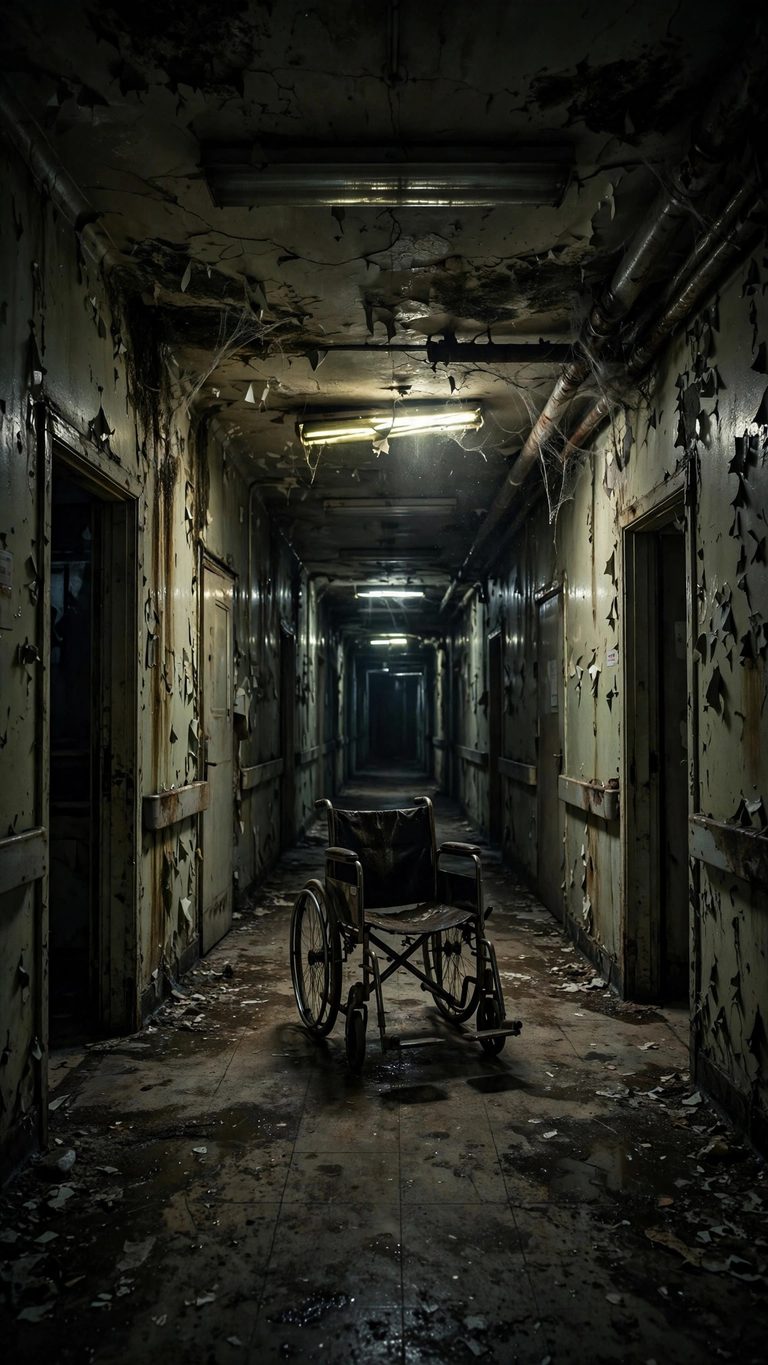
Nothing on the internet pretends to be real quite like found footage, and nothing pretends to be haunted quite like an abandoned hospital. This prompt drops the viewer into a terrifying first-person walk through a dark hospital corridor: tube lights flickering overhead, a wheelchair moving by itself in the middle of the frame, distant whispers you can almost hear, and the whole thing shot with shaky handheld camera work in ultra-realistic detail. It is ten seconds of pure urban-exploration nightmare, and it exploits one of the most viral dynamics in horror right now: the is this real debate. Found-footage horror bypasses the viewer rational defenses because the brain processes shaky, imperfect video as documentation rather than fiction. In this article you will get the exact AI video prompt, a breakdown of why abandoned-hospital found footage dominates horror feeds, a step-by-step workflow for Veo 3, Runway, Kling, Pika, and Sora, plus authenticity tricks, sound design, and sequel formats that turn one corridor walk into an investigation series your audience cannot quit.
The Prompt
Copy and paste this exact prompt into your AI video generator:
Terrifying found-footage style walk through a dark abandoned hospital corridor, flickering tube lights, wheelchair moving by itself, distant whisper sounds visualized, shaky cam, ultra realistic horror
Why This Prompt Works
This prompt works because found footage is the only horror format where the audience scares itself. The moment a viewer believes, even for a second, that a clip might be real, their fear response multiplies, because real danger demands a real reaction. Every element in this prompt is engineered to sustain that fragile belief. The shaky cam is the most important: smooth cinematic movement signals fiction, while unsteady handheld motion signals a real person holding a real phone in a real terrifying place. The flickering tube lights do double duty, creating strobing tension while also explaining away visual imperfections as bad lighting rather than AI artifacts. The wheelchair moving by itself is the masterstroke. An empty wheelchair is already an uncanny object, a seat shaped exactly like a person that holds no one, and when it rolls on its own it demonstrates agency without showing an agent, which is the purest form of haunting. The distant whispers, visualized in the prompt, prime viewers to listen hard, and listening hard with headphones in a dark room is an intensely vulnerable state. Then there is the location itself. Abandoned hospitals tap into a deep well of medical anxiety, sterile corridors associated with pain, helplessness, and death, now decayed and dark. The urbex and abandoned-places niche is massive on TikTok and YouTube Shorts, with millions of viewers who will never enter a derelict building but devour footage of those who do. The shareability engine here is the authenticity debate. Post this clip without labeling it AI and your comments will split into it is real and it is AI camps arguing for days. That argument is engagement rocket fuel: replies, stitches, duets, and reaction videos all count toward the algorithmic signals that push horror content viral. Even the whisper of maybe-real elevates a clip above obviously fictional horror in the same feed.
How to Use This Prompt
Authenticity is the whole game, so generate and edit like a documentarian, not a filmmaker. Open Veo 3, Runway, Kling, Pika, or Sora and paste the full prompt exactly, keeping the found-footage style, shaky cam, flickering tube lights, self-moving wheelchair, and distant whispers all present. Set 9:16 vertical and use the full 10-second duration this prompt calls for, since found footage needs a few extra seconds to establish the walk before the wheelchair moves. Keep the camera at roughly eye level with a subtle forward push and lateral wobble, never a smooth glide. Generate four or five takes, because the wheelchair motion is the hardest beat for AI to nail, and pick the render where the chair rolls slowly and slightly unevenly, as if nudged by something unseen, rather than gliding like it is on rails. In your editor, degrade the image slightly on purpose: add a touch of grain, crush the blacks, maybe tint toward sickly green-white fluorescent tones. Real phone footage in a dark corridor looks bad, and bad-looking is believable. Add diegetic audio: your own footsteps on tile, the electrical buzz and click of the flickering tubes, and whispers so faint viewers argue about whether they heard anything. Post late evening, 8 PM to 11 PM local time, with a minimal caption like found this on an old phone, no hashtags screaming AI, and let the comments section do the rest. Tag lightly with #abandoned #urbex #horror #foundfootage to seed the right audience.
Pro Tips & Creative Variations
The difference between convincing found footage and an obvious AI clip lives in the imperfections, so add them deliberately. A blinking red recording dot and a subtle timestamp in the corner sell documentation instantly. A brief autofocus hunt, where the image goes soft for half a second as the camera passes under a flickering tube, is something AI rarely generates on its own and viewers subconsciously read as real. For audio, record your own footsteps on a hard floor and layer them slightly out of sync with the visual steps; perfectly synced footsteps feel staged. Pan the whispers slowly from one ear to the other so headphone users feel something circling them. Creative variations can build an entire channel. The turn-the-corner format is a classic: each episode ends as the explorer rounds a corner, and the next episode reveals what was there. The elevator variant, doors opening onto a lit floor that should be dead, is another proven performer. Try the room search structure too: the camera enters numbered patient rooms one per episode, and each room contains one wrong thing, a bed with fresh indentations, a heart monitor glowing with no power, a wheelchair facing the camera that was facing the wall. For maximum series gravity, brand it as an investigation: The Ward Tapes or Floor 3, with episode numbers burned in. End every installment mid-scare on a whisper or a light dying, and your followers will treat your posting schedule like appointment television. One ethical note: label the content as AI-created somewhere, in your bio or a pinned comment, once the debate has run its course. The authenticity game is fun, but transparency keeps trust with the audience you are building.
Frequently Asked Questions
Should I tell viewers the clip is AI-generated?
Q: Will labeling it as AI kill the viral debate?
A: Not if you time it right. Let the is it real discussion run for the first day or two to harvest the engagement, then add a pinned comment or bio note clarifying it is AI-made. Creators who disclose late keep both the viral spike and the audience trust, while creators who never disclose risk backlash when viewers find out.
Why 10 seconds instead of 8 for this prompt?
Q: The other horror prompts use 8 seconds. Why is this one longer?
A: Found footage needs establishing time. The first three to four seconds must sell the walk, the corridor, and the flicker before the wheelchair moves, or the scare has no context. Ten seconds gives you setup, escalation, and payoff without rushing the dread.
How do I make the shaky cam look real and not nauseating?
Q: My handheld renders look either too smooth or too jittery.
A: Real phone footage has low-frequency sway from walking plus tiny high-frequency tremor, not random violent shaking. If your tool motion controls allow it, keep shake subtle. You can also stabilize an overly shaky AI render slightly in your editor, which paradoxically makes it look more like real stabilized phone footage.
What is the best posting time for found-footage horror?
Q: Does timing really matter?
A: Yes, especially for horror. Late evening, 8 PM to 11 PM in your audience timezone, catches viewers in bed with lights off and headphones in, which is when found footage feels most real and gets the highest completion and share rates. Weekend nights perform best of all.
The abandoned hospital corridor is found-footage horror at its most effective: shaky, flickering, and just real enough to make viewers argue about it for days. Copy the prompt, chase the perfect wheelchair take, degrade it like a real phone recording, and post it late with a cryptic caption. When the comments split into believers and skeptics, you will know the haunting worked.
Related Viral Prompts
- Creepy Doll Eyes Follow the Camera: Viral AI Horror Video Prompt for a Subtle Chilling Horror Short (Free)
- Knocking on the Window During a Thunderstorm: Viral AI Horror Video Prompt for a Terrifying Short (Free)
- Whispers in a Pitch-Dark Forest: Viral AI Horror POV Video Prompt for a Chilling Found-Footage Short (Free)
# A I V i d e o # P r o m p t B a z a r # A b a n d o n e d # H o s p i t a l # H o r r o r

Leave a Reply