
Introduction
Ask any parent what moment melts them fastest, and many will describe the same scene: the older child wrapping little arms around a baby brother or sister, holding on a second longer than necessary, with a tenderness nobody taught them. Sibling love is different from every other kind of love. It is fierce and gentle at the same time, built from shared secrets, shared snacks, and a bond that starts before either of them has the words for it. Watching it happen feels like witnessing something sacred.
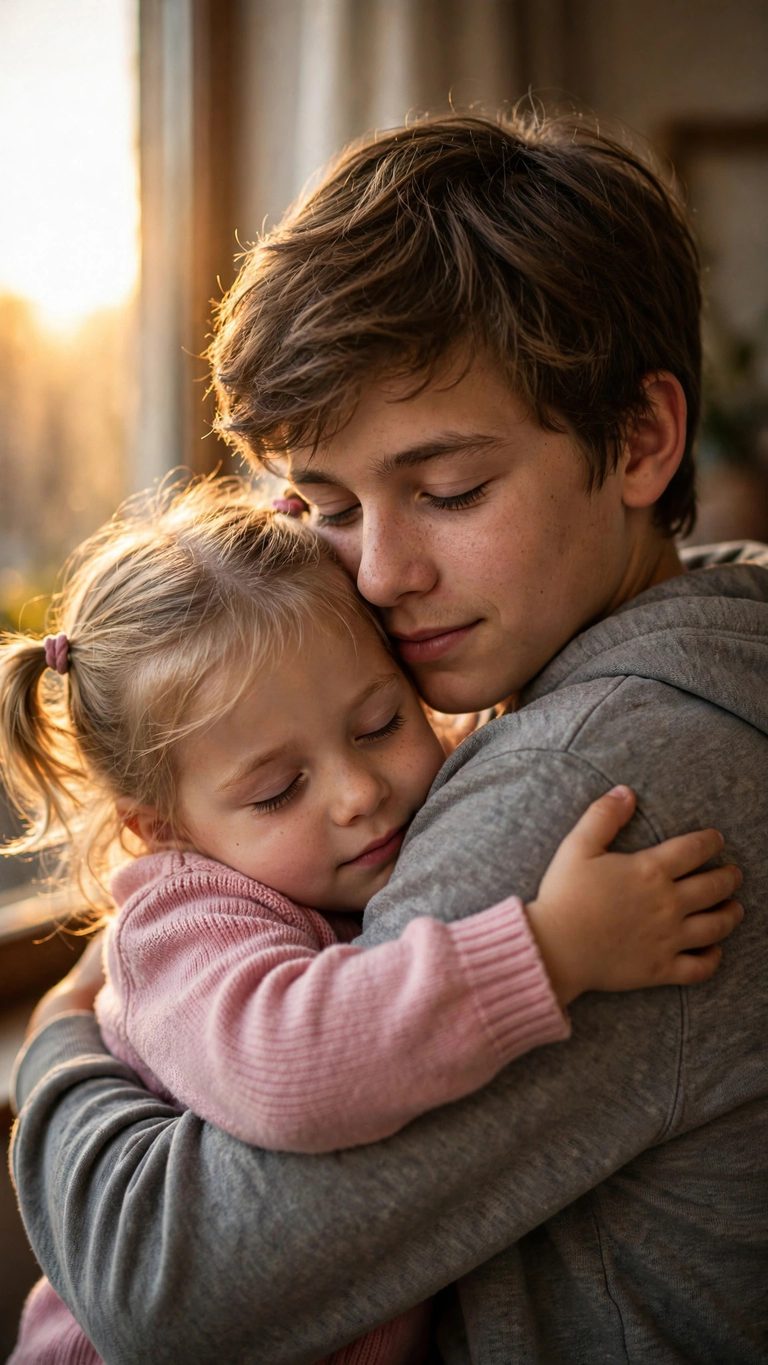
This AI video prompt recreates that sacred moment in cinematic form. It generates a deeply touching shot of an older brother hugging his little sister tightly, her tiny arms around his neck, bathed in warm golden window light, swaying gently together. The camera stays close and tender, capturing whispered secrets and an unbreakable sibling bond in a single eight-second embrace. No staging, no coaxing, no waiting for the perfect real-life hug. The AI delivers the emotion on demand, and the result is the kind of video that makes viewers tag their own siblings within seconds of watching.
The Prompt
Copy the text below exactly and paste it into your favorite AI video generator to create this scene:
Deeply touching shot of an older brother hugging his little sister tightly, her tiny arms around his neck, warm golden window light, gentle swaying, pure sibling love, camera close and tender, ultra realistic, cinematic family film, 8k, whispered secrets shared, unbreakable sibling bond
Why This Prompt Works
Emotional family content outperforms almost every other category in saves and shares, and sibling content sits at the very top of that hierarchy. The reason is structural: a cute baby video gets a like, but a sibling hug video gets tagged. Every viewer with a brother or sister sees themselves in the frame, and tagging a sibling is a public act of affection that the platform counts as high-value engagement. One hug video can generate dozens of comment threads between siblings reminiscing in the replies, and the algorithm reads all of that as a signal to push the video wider.
The prompt’s emotional engineering is precise. “Her tiny arms around his neck” creates the visual contrast that makes the scene work: small arms, big hug, enormous feeling. That scale contrast is the same mechanism that makes baby-and-puppy content irresistible, applied to human connection. “Warm golden window light” wraps the embrace in a glow that reads as memory itself; golden light is the visual language of nostalgia, and it tells the viewer’s brain that this moment matters. “Gentle swaying” adds just enough motion to feel alive without breaking the tenderness, like a lullaby made visible. “Whispered secrets shared” is a brilliant narrative detail because it gives the hug a story: they are not just hugging, they are conspiring, trusting, belonging to each other. And “unbreakable sibling bond” anchors the theme so the model renders devotion rather than a casual embrace.
Timing and trends amplify all of this. Family and sibling content spikes around holidays, back-to-school season, and milestones like new babies arriving, giving this prompt built-in seasonal relevance year-round. Under hashtags like #Siblings, #Hug, and #Love, there is a permanent audience of viewers actively seeking emotional family videos. The eight-second runtime is also deceptive in the best way: it is short enough to loop, and a looping hug means viewers literally watch the embrace two or three times, which the algorithm interprets as deep interest. Emotional loops are among the highest-converting formats on Reels and TikTok.
How to Use This Prompt
Paste the complete prompt into your AI video generator and set up a vertical short-form render. In Veo 3, choose text-to-video, paste the prompt, and select a 9:16 vertical aspect ratio with an 8-second duration, matching the tender close-up settings this scene was designed around. Veo 3’s realistic rendering of faces and embraces makes it a strong choice for emotional close-ups. In Runway, paste the prompt, select vertical 9:16 output, and keep motion gentle and low; the “gentle swaying” should feel like a barely-there rock, not a dramatic move.
In Kling, paste the prompt into the standard model and request a vertical 8-second clip with high-quality rendering for the finest detail in the golden window light on hair and skin. In Pika, paste the prompt, set vertical framing, and keep camera movement at zero so the tender closeness holds steady. Sora users can paste the prompt directly and request a vertical 8-second render. Generate three or four takes and study the arms and faces carefully: embraces are anatomically tricky for AI models, and you want the take where both children’s arms wrap naturally and their expressions read as genuine tenderness. After generation, resist the urge to add loud music. A soft piano track, a gentle acoustic trending sound, or even near-silence with room tone will honor the emotion far better than an upbeat track.
Pro Tips & Creative Variations
This prompt is a foundation for an entire emotional content library. First, vary the sibling dynamic for different audiences. The base prompt features an older brother and little sister, but regenerating the concept with two sisters, two brothers, or an older sister with a baby brother lets you speak to different family configurations, and viewers engage hardest with the version that mirrors their own family. Each variation can be its own post, multiplying one idea into a series.
Second, explore the light and setting for different emotional registers. The golden window light in the prompt is perfect for warmth, but a version with soft morning light and a cozy blanket fort feels playful, while a dusk-lit version with lamps glowing feels like the end of a long, happy day. A holiday variation, with soft fairy lights bokeh in the background, becomes instantly seasonal content that parenting pages will repost every December. Third, build narrative context around the hug with text overlays. A caption like “POV: your built-in best friend” or “the bond no one can break” layered over the clip transforms a beautiful video into a shareable statement, and statement videos are what get sent to siblings.
For deeper storytelling, create companion clips that form a sibling arc: a playful clip of the siblings laughing together, this hug as the emotional center, and a protective clip of the older sibling holding the younger one’s hand. Edited together with a trending emotional sound, the trilogy tells a complete story about growing up together in under thirty seconds. Another powerful variation is the milestone format: generate the hug scene and pair it with on-screen text about a new baby joining the family, a first day of school, or siblings reuniting. Milestone framing gives viewers a reason to share the video as a congratulation, which opens up entirely new audiences beyond your followers.
Frequently Asked Questions
How do I avoid awkward-looking arms in the hug? Embraces are one of the harder poses for AI video models, so plan on generating four or five takes. Look for natural arm placement: the sister’s arms around the brother’s neck, his arms around her back, faces close but not merged. If a take looks off, change the seed and regenerate. The best take is usually obvious within the first second of preview.
What format and length work best? Keep the 9:16 vertical format and 8-second duration from the original settings. The close, tender framing suits vertical perfectly, and eight seconds loops the gentle swaying into a seamless emotional loop. High loop counts signal deep viewer interest to the algorithm.
What audio should I pair with this emotional scene? Soft, emotional trending sounds: gentle piano, acoustic covers, or trending “emotional” audio on TikTok and Reels. The audio should support the tenderness, not compete with it. Many top-performing sibling videos use trending sounds about family or growing up; check what is rising in those categories before you post.
Can I adapt this prompt for different sibling combinations? Yes. Keep the structure and swap the subjects, for example “older sister hugging her baby brother” or “twin sisters hugging.” Each version reaches the audience whose family looks like the frame. Posting several variations as a series builds a dedicated following among viewers who see their own sibling bond reflected back at them.
Some bonds do not need words, just eight seconds and a warm window light. Copy this AI video prompt, generate your tender vertical hug scene, and tag the sibling it reminds you of. Try the prompt today and let love do the rest.
Related Viral Prompts
- Sleeping Baby Macro AI Photo Prompt: Capture a Dreamy Newborn Portrait That Melts Every Heart Instantly
- Baby Feet in Parent Hands AI Photo Prompt: Create a Touching Family Portrait Full of Love and Tender Scale
- Butterfly on Nose Toddler AI Photo Prompt: Capture Pure Childhood Wonder in One Magical Garden Moment
# A I V i d e o # P r o m p t B a z a r # S i b l i n g s # H u g # L o v e # V i r a l R e e l s




Leave a Reply