
Introduction
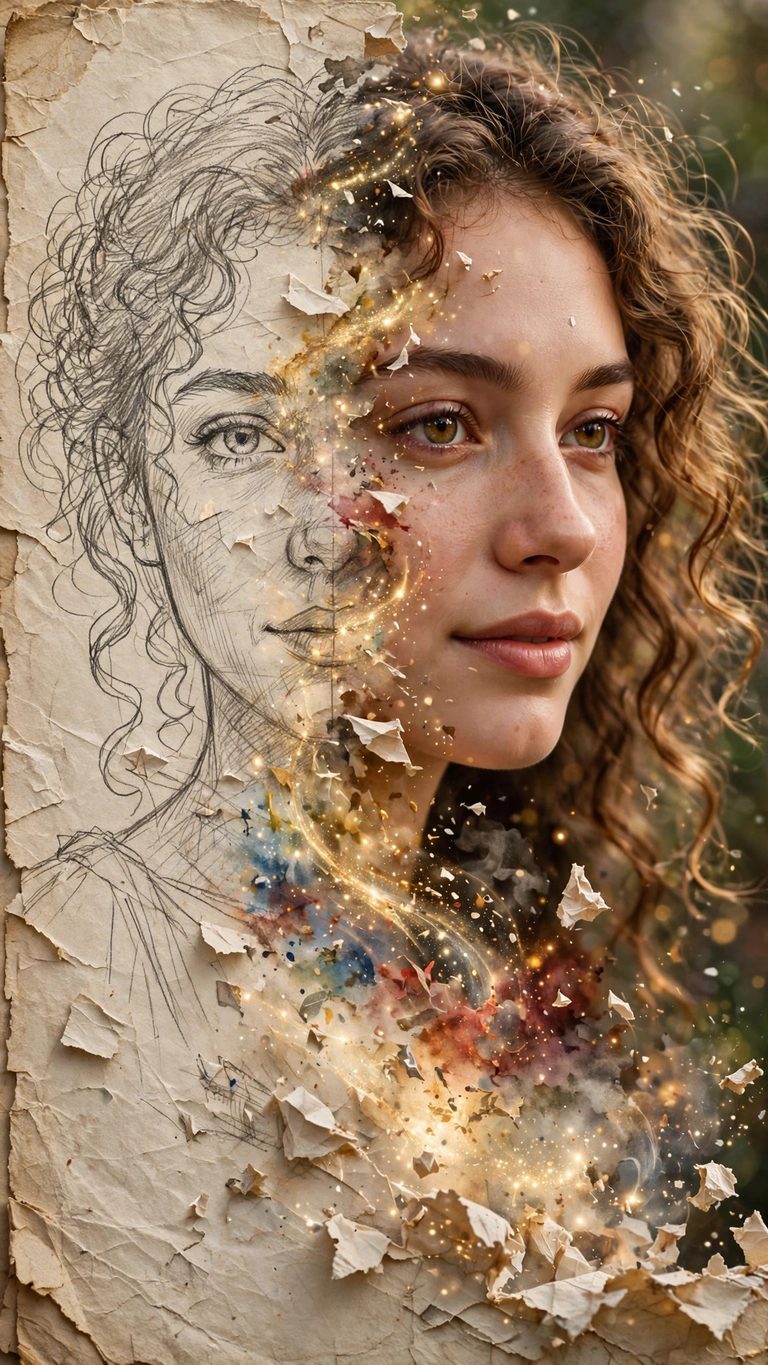
There is a moment in every artist’s fantasy when the drawing starts breathing. Pencil lines shiver, color floods the graphite, paper texture melts away — and suddenly a flat sketch is a living, photorealistic face staring back at you. This AI video prompt manufactures that exact moment of magic, and it hits viewers with the force of a childhood wish coming true.
Art transformation content occupies a unique emotional niche. It is not just satisfying; it is wondrous. Watching creation happen in fast-forward triggers the same awe we feel watching a time-lapse of a mural or a potter at the wheel, except here the “artist” is an algorithm and the entire performance fits in eight seconds. For art pages, stationery brands, drawing tutorial accounts, and anyone who loves the romance of the creative process, this prompt delivers a repeatable miracle. It also bridges two massive audiences — traditional art lovers and AI-curious tech viewers — which is precisely the kind of crossover that algorithms reward with explosive reach.
The Prompt
Copy the exact prompt below and paste it into your favorite AI video generator:
Magical transformation of a pencil sketch on paper morphing into a photorealistic human portrait, lines filling with color and life, paper texture dissolving, artistic magic, ultra detailed
Why This Prompt Works
This prompt works because it dramatizes the single most compelling part of making art: the emergence of likeness from nothing. Cognitive scientists have shown that the brain rewards pattern completion — the instant a jumble of lines resolves into a face, viewers get a micro-dose of pleasure. This prompt stretches that instant across several seconds, turning a flicker of recognition into a sustained high. Every frame deepens the likeness, so attention never wavers.
Then there is the magic framing. The prompt does not say “drawing becomes photo” — it says lines fill with color and life while paper texture dissolves. That language pushes generators toward a genuinely cinematic metamorphosis rather than a crossfade, and viewers read the result as sorcery rather than editing. Magic outperforms craft on social feeds because it invites replay: people rewatch to catch the exact frame where the impossible happens, and replays are pure algorithmic gold.
Finally, the format flatters everyone. Artists see their craft honored, non-artists see a superpower they wish they had, and both groups share for opposite reasons — one to celebrate art, the other to marvel at AI. Content that gives two different audiences two different reasons to share is the definition of viral architecture. Add the ultra-detailed rendering this prompt demands, and even the skeptics stop to stare.
How to Use This Prompt
Copy the prompt verbatim — phrases like “lines filling with color and life” and “paper texture dissolving” are the difference between a flat crossfade and a true metamorphosis, so keep them intact. For this concept, Runway Gen-4 and Veo 3 handle the sketch-to-photo transition most gracefully; their models understand paper grain and graphite texture, which sells the opening frames. Kling is excellent on the morphing motion itself. Set 9:16 vertical, 8 seconds — the transformation needs room to breathe but must stay loopable.
A powerful technique here is the staged approach: first generate (or upload) a still image of a pencil sketch as your start frame using image-to-video, which grounds the “before” in authentic texture. Then let the prompt drive the bloom into photorealism. Generate four to five takes and scrutinize the middle third, where AI sometimes produces uncanny half-faces — pick the take where the likeness resolves cleanly. For maximum impact, pair the video with audio that builds: a rising piano or a “wait for it” trending sound cues viewers to watch through the payoff. Caption it with an invitation — “Which sketch should come alive next?” — and you have a comment engine as well as a video.
Pro Tips & Creative Variations
The variations here are endless, and each one opens a new audience. First, change the medium: charcoal to oil painting, watercolor to photograph, blueprint to building, child’s crayon drawing to Pixar-style render. Each medium swap is effectively a new viral format wearing the same mechanics. Second, change the subject: historical figures sketched from famous portraits, beloved fictional characters, or viewer-submitted selfies (with permission) turned from sketch to photo. Personalization drives shares — people send videos of themselves to everyone they know.
Third, serialize it: “Drawings Come Alive, Part 7” builds a franchise your followers anticipate. Fourth, collaborate with real artists: have a human artist draw the opening sketch on camera, then cut to your AI transformation. The human-AI handshake is catnip for art communities and defuses the “AI vs artists” tension by making them collaborators. Fifth, play with the ending: instead of stopping at photorealism, let the portrait blink, smile, or turn toward the camera for a final half-second. That tiny bit of life after the transformation is what viewers screenshot and share. Finally, sell the feeling: this prompt is perfect for brands selling sketchbooks, pencils, or art courses — the transformation is literally an advertisement for the joy of drawing.
Frequently Asked Questions
Which tool handles the sketch-to-photo morph best?
Runway Gen-4 and Veo 3 render paper and graphite texture most convincingly. Kling excels at the morphing motion. Generate several takes — the middle frames are where quality varies most.
Can I use my own drawing as the starting frame?
Yes, and you should. Upload your sketch as an image-to-video start frame for an authentic opening texture, then let the prompt drive the transformation. This also makes the content unmistakably yours.
How do I keep the face from looking distorted mid-morph?
Inspect the middle third of every generation and discard takes with melting features. Higher resolution settings and simpler camera moves reduce artifacts significantly.
Is it okay to transform sketches of real people?
Transforming your own art or public-domain portraits is safe. For living private individuals, get permission first — and always check your generator’s policy on real faces.
The sketch-to-portrait transformation sells the oldest fantasy in art — that a drawing might wake up — in eight seconds of pure wonder. Copy the prompt, pick a sketch, and let the lines come alive. Post it, and watch two tribes of viewers, artists and technologists, share it for completely different reasons.
Related Viral Prompts
- Wasteland to Wonderland: Garden Bloom Timelapse AI Video Prompt for Satisfying Eco Transformation Videos
- A Lifetime in Ten Seconds: Baby-to-Old-Age Morphing AI Video Prompt for Deeply Emotional Viral Timelapses
- Rust to Showroom Shine: Abandoned Car Restoration Timelapse AI Video Prompt for Satisfying Auto Makeover Reels
# A I V i d e o # P r o m p t B a z a r # A r t # S k e t c h T o R e a l # M a g i c

Leave a Reply